


How to Run Kimi K3 Locally in 2026: GGUF, llama.cpp, vLLM & the Hardware You Actually Need
Kimi K3 is a 2.8-trillion-parameter open-weight MoE model (104B active, 1M-token context, native vision) — the weights went public on July 27, 2026, so you can run it on your own hardware, no API and no data leaving your walls. The catch is size: the native MXFP4 weights are ~1.56 TB. What makes it runnable off-cloud is Unsloth's Dynamic GGUF quants (live now, though not at release) — the 1-bit build fits in ~594 GB at 78.9% top-1 accuracy, the 2-bit (~861 GB) reaches 90.4%, and the smallest (TQ1_0) is 509 GB. This guide gives the verified specs, the hardware that actually runs each quant, the real llama.cpp and vLLM commands, throughput to expect, and when to self-host versus use the API.

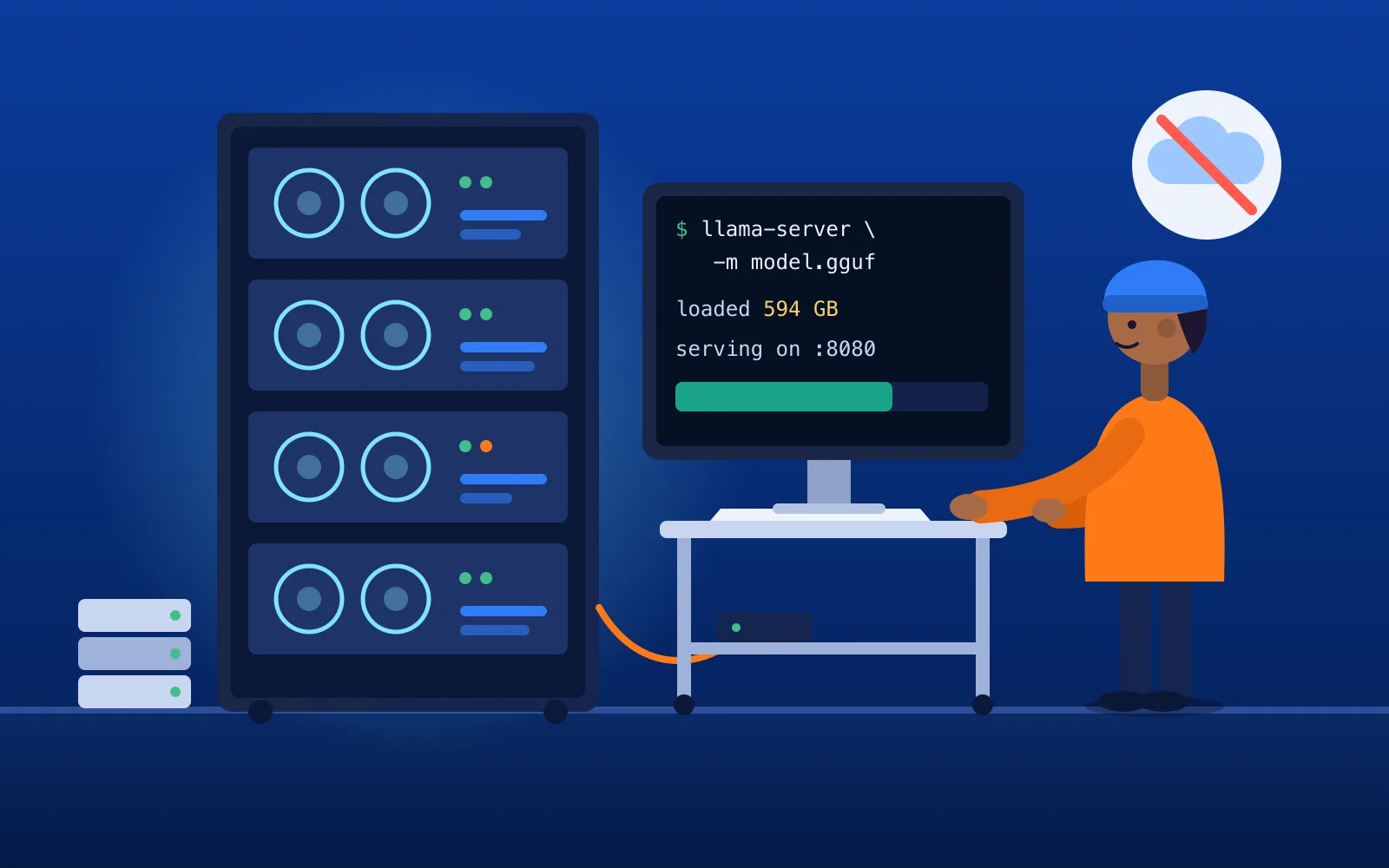
How do you run Kimi K3 locally?
Because Kimi K3's weights are open (public since July 27, 2026), you download a quantized GGUF build and run it with llama.cpp — no API, no per-token bill, no data leaving your infrastructure. The practical path: pull an Unsloth Dynamic GGUF from huggingface.co/unsloth/Kimi-K3-GGUF and run it with llama.cpp, or serve the native weights on a multi-GPU box with vLLM. But be honest about scale first: K3 is a 2.8-trillion-parameter model. The native weights are ~1.56 TB, and even the smallest usable quant is ~509 GB — so a single 24 GB consumer GPU cannot run it, even quantized. The real question isn't whether you can run it locally; it's which quant your hardware can hold. The one rule: RAM + VRAM has to be roughly the size of the quant you pick.
This is the "own the model" companion to How to Start Using Kimi, which covers the hosted-API route.
The hardware reality of a 2.8T model
Let's kill the fantasy up front: this is not a laptop model, and it is not a single-GPU model. Kimi K3 is a sparse mixture-of-experts network — 896 experts total, 16 activated per token, so only 104B of the 2.8T parameters fire on any given token. That sparsity is what makes it fast per token, but it does not shrink what you have to hold in memory: every expert has to be resident to be routed to. You still need enough combined memory (VRAM + system RAM) to hold the whole quantized model, or llama.cpp falls back to reading weights off disk and generation slows to a crawl.
So the entire local-hosting problem reduces to one trade-off: how much memory you have vs. how much accuracy you're willing to give up to fit the model into it.
What it takes: the model and the memory
The specs, verified against Moonshot's own repository:
| Spec | Kimi K3 |
|---|---|
| Total parameters | 2.8 trillion |
| Active per token | 104B (16 of 896 experts) |
| Context window | 1,048,576 tokens (1M) |
| Architecture | Kimi Delta Attention (KDA) + Attention Residuals, Stable LatentMoE |
| Native quantization | MXFP4 weights / MXFP8 activations |
| Vision | Native (multimodal) |
| License | Kimi K3 License (open weights) |
| Native download | ~1.56 TB (96 safetensors shards) |
Full precision is out of reach for almost everyone. Unsloth's Dynamic quantization is what makes K3 runnable off-cloud — it shrinks the model while protecting accuracy through selective, calibrated bit allocation (keeping the layers that matter at higher precision). The published builds and their measured top-1 accuracy (agreement with the full model):
| Quant (Unsloth Dynamic) | Size | Top-1 accuracy |
|---|---|---|
| UD-TQ1_0 | ~509 GB (smallest) | not published |
| UD-IQ1_S (1-bit) | ~594 GB | 78.9% |
| UD-IQ1_M | ~649 GB | 81.2% |
| UD-IQ2_XXS | ~711 GB | 84.1% |
| UD-Q2_K_XL (2-bit) | ~861 GB | 90.4% |
| UD-Q4_K_XL | ~1,510 GB | not published |
| UD-Q8_K_XL | ~1,560 GB | "lossless" |
Vision projectors (mmproj-BF16/F16/F32.gguf) are separate small files you download alongside the quant if you want multimodal input.
Which hardware actually runs Kimi K3?
Match the quant to the memory you actually have. Honest tiers:
| Your hardware | What it can run |
|---|---|
| Single 24–48 GB consumer GPU (RTX 4090, etc.) | Nothing — the smallest quant is ~509 GB (~21× a 24 GB card). Not viable even quantized. |
| One 512 GB unified-memory Mac Studio | Only UD-TQ1_0 (509 GB) technically fits — with almost no headroom for KV cache or long context, so it's borderline. Treat a single 512 GB Mac as impractical for real 1M-context work. |
| Big-RAM workstation / server (~700 GB–1 TB RAM + a GPU) | UD-IQ1_S (594 GB) to UD-IQ2_XXS (711 GB) via llama.cpp with MoE layers offloaded to RAM. The realistic "run it yourself" tier. |
| ~1 TB+ combined memory (multi-GPU or big-RAM + GPUs) | UD-Q2_K_XL (861 GB, 90% accuracy) — the sweet spot when you can afford the memory. |
| Multi-GPU production cluster (native weights, vLLM) | Full 1.56 TB natively: Moonshot recommends 8× NVIDIA B300 (or 8× AMD MI355X) minimum; in 80 GB-class cards that's ~20+ GPUs. Do not assume "8× H100" runs the full model — it doesn't. |
Which tool: llama.cpp, vLLM, SGLang, or Ollama?
| Tool | Best for | Notes |
|---|---|---|
| llama.cpp (+ GGUF) | Running a quantized K3 on a workstation / big-RAM box, CPU+GPU offload, Mac Metal | The local path. Use Unsloth's fork for vision (below). |
| vLLM | Native-weight multi-GPU production serving, high throughput, tool/reasoning parsing | Day-0 K3 support; the production choice. |
| SGLang | Native multi-GPU production, an alternative to vLLM | Also production-grade; benchmark against vLLM for your workload. |
| Ollama | Prototyping with smaller models | Not a fit for full K3 at this scale — reach for llama.cpp or vLLM. |
The split is simple: quantized + your own box → llama.cpp; native weights + a GPU cluster → vLLM or SGLang.
How to run it, step by step
Path A — llama.cpp with an Unsloth GGUF (the local path)
1. Build llama.cpp (Unsloth fork for K3 vision). Mainline llama.cpp didn't support K3 vision at release, so use Unsloth's branch:
git clone https://github.com/unslothai/llama.cpp && cd llama.cpp
git fetch origin pull/48/head:kimi-k3-fullsize-vision
git checkout kimi-k3-fullsize-vision && cd ..
cmake llama.cpp -B llama.cpp/build -DBUILD_SHARED_LIBS=OFF -DGGML_CUDA=ON   # OFF for CPU/Metal
cmake --build llama.cpp/build --config Release -j --target llama-cli llama-server
2. Download a quant (+ vision projector). Pick the quant your memory can hold:
hf download unsloth/Kimi-K3-GGUF --local-dir unsloth/Kimi-K3-GGUF \
  --include "*mmproj-BF16*" --include "*UD-IQ1_S*"
3. Run it. The simplest form pulls and runs in one step:
./llama.cpp/llama-cli -hf unsloth/Kimi-K3-GGUF:UD-IQ1_S --temp 1.0 --top-p 0.95
Or point at your downloaded shards and add the vision projector, and serve an OpenAI-compatible endpoint with llama-server.
Path B — vLLM on a multi-GPU box (native weights)
For production serving of the native 1.56 TB weights across a GPU cluster (verified from vLLM's day-0 K3 recipe):
pip install -U vllm
huggingface-cli login
vllm serve moonshotai/Kimi-K3 \
  --tensor-parallel-size 8 \
  --trust-remote-code \
  --load-format fastsafetensors \
  --enable-prefix-caching \
  --enable-auto-tool-choice \
  --tool-call-parser kimi_k3 \
  --reasoning-parser kimi_k3 \
  --max-model-len auto
Settings that matter
Kimi K3 is thinking-only (reasoning always on). Set reasoning_effort to low / high / max, use temperature 1.0, top-p 0.95 for default work (top-p 1.0 for agentic use), and start at 128K–256K context, not the full 1M — the KV cache at 1M is enormous and will blow your memory budget before the weights do.
Performance: what to expect
Be realistic. The headline "6.3× faster decoding at 1M context" figure is a claim about K3's KDA attention research prototype, not a benchmark you'll hit on a quantized local box — don't quote it as your throughput. The real, measured numbers come from vLLM's production serving: ~118 tokens/sec per user on 16-way tensor parallelism, rising to ~370 tokens/sec per user with speculative decoding — on a datacenter GPU cluster, not a workstation. For local GGUF runs, no vendor publishes reliable tokens/sec, because it's dominated by your memory bandwidth and how much of the model sits in RAM versus VRAM. Expect "usable for batch and agentic work," not "instant chat," on a big-RAM workstation.
What can go wrong when self-hosting Kimi K3
- Undersized memory → disk offload. The single most common failure: your combined RAM+VRAM is under the quant size, so llama.cpp streams weights from disk and tokens crawl. Size for the quant plus KV-cache headroom.
- KV cache at 1M context. The context window is huge; the KV cache for it can exceed the weights. Cap
--max-model-len(or context) to what you actually need. - Missing vision support. Mainline llama.cpp may not handle K3 vision — use Unsloth's fork branch and download the
mmprojprojector, or you'll get text-only or errors on image input. - Unofficial mirror tampering. Only pull weights from Moonshot's or Unsloth's official repos; unverified mirrors of a 1.5 TB model are a supply-chain risk you can't easily audit.
- Assuming "8× H100 runs it." The full native model needs B300/MI355X-class memory or ~20+ 80 GB cards. Plan the cluster before you commit.
When to self-host vs. use the API
Self-host when the reasons are decisive: data never leaves your walls (the on-prem case for banks, hospitals, defense — see AI Governance in 2026); no per-token bill at high volume; and no lock-in (open weights, your quant, your stack). Otherwise, don't: if you don't have ~600 GB+ of memory, or your volume is low, or you just want to build with the model, the hosted API is cheaper and far less operational work — and for agentic coding specifically, see Kimi for large-scale agentic coding, which needs no 600 GB box.
Related reading
- How to Start Using Kimi in 2026 — the hosted-API route and when to pick it over self-hosting.
- Private, on-prem AI with Kimi — the data-residency case for running it yourself.
- The 2026 AI infrastructure stack — what standing up serving, quantization, and reliability actually takes.
Build the infra skills to run models like this
Self-hosting a near-frontier model is real infrastructure engineering — quantization, multi-GPU serving, KV-cache and memory management, reliability. Dexity's AI Platform Engineering course builds exactly that muscle, hands-on, so standing up something like a local K3 is a project you can run, not just read about.
Model, quant, and command details verified against Moonshot AI's Kimi K3 repository, Unsloth's Kimi-K3-GGUF repo and Unsloth docs, and vLLM's day-0 Kimi K3 recipe (verified Aug 2026). Model versions, quant sizes, and tooling move quickly — confirm current builds before committing hardware. · Dexity.com
Frequently asked questions
Can you run Kimi K3 locally?
Yes — the weights are open (public July 27, 2026). You run a quantized Unsloth GGUF with llama.cpp, or serve the native weights on a multi-GPU cluster with vLLM. But the smallest quant is ~509 GB, so you need a big-RAM machine, not a laptop.
What hardware do you need to run Kimi K3?
Enough combined RAM + VRAM to hold your chosen quant: ~509–594 GB for the smallest builds, ~861 GB for the 90%-accuracy 2-bit, ~1.56 TB for native/lossless. A single 24 GB consumer GPU cannot run it even quantized; the native model is served on 8× B300-class GPUs.
Can you run Kimi K3 on Ollama?
Not practically at this scale — Ollama is better suited to smaller models. Use llama.cpp for a quantized local run or vLLM/SGLang for native multi-GPU serving.
Does a GGUF version of Kimi K3 exist?
Yes, now — Unsloth's Dynamic GGUFs (UD-TQ1_0 through UD-Q8_K_XL) are live on Hugging Face. They did not exist for the first ~2 days after release, which is why older guides say "no GGUF port"; that's out of date.
Which Kimi K3 quant should I use?
UD-IQ1_S (594 GB, ~79%) is the recommended entry point; UD-Q2_K_XL (861 GB, ~90%) is the sweet spot if you have the memory; UD-Q8_K_XL (~1.56 TB) for lossless. Below your memory budget, drop a tier.
Is a local 1-bit Kimi any good?
Unsloth's dynamically quantized 1-bit reaches ~78.9% top-1 agreement and stays usable — far better than a naïve 1-bit of the same size, because calibration matters more than the bit count.
Can a Mac Studio run Kimi K3?
Only barely: a 512 GB Mac Studio can technically hold the 509 GB TQ1_0 quant, but with almost no headroom for KV cache or long context — so it's impractical for real 1M-context work. Bigger builds exceed 512 GB entirely.
Is Kimi K3 free for commercial use?
It's released under the open Kimi K3 License — check the license terms on Moonshot's repository for the exact commercial conditions before you ship on it.
More in AI at Work
All Intel →AI Agent Frameworks in 2026: LangGraph vs CrewAI vs AutoGen vs OpenAI Agents SDK, Compared
There's no single "best" AI agent framework — the right pick depends on your stack and how much control you need. In 2026 the main options are LangGraph (graph-based, most control, strongest for production and complex multi-agent), CrewAI (role-based "crews," fastest to prototype), AutoGen/AG2 (conversation-driven multi-agent), and the OpenAI Agents SDK (lightweight, handoff-based, Python + TypeScript), plus LlamaIndex Workflows, Google ADK, Pydantic AI (type-safe), and the Microsoft Agent Framework (the AutoGen + Semantic Kernel successor). Many teams skip frameworks and build agents with the model SDK plus a loop — Anthropic and Microsoft both recommend starting there. This guide compares them on language, abstraction, multi-agent support, state/memory, and best-fit, with version and maturity claims attributed and dated (they drift).
AI at WorkHow to Build an AI Agent in 2026: A Practical Guide for Engineers
You build an AI agent by wrapping a large language model in a loop: the model gets a goal, decides an action, calls a tool, reads the result, and repeats until the task is done. The core pieces are a controller model, tools defined as JSON schemas, a memory system, an orchestration loop, and a termination condition. Tools are exposed through function-calling APIs — the model returns a structured call, your code runs it, and you feed the output back. The hard part isn't the loop; it's knowing when NOT to build an agent. Most production systems are workflows with predefined paths, not autonomous agents — and Gartner projects over 40% of agentic-AI projects will be canceled by end of 2027 on cost and unclear value. This guide walks the architecture, tool calling, memory, patterns, failure modes, and deployment.
AI at WorkHow to Evaluate AI Agents: Trajectories, Tool Use, and Task Success (2026 Guide)
Evaluating an AI agent means judging both what it produced and how it got there. Unlike a single LLM call, an agent plans, calls tools, and takes many steps — so a correct final answer can hide a broken path. Combine outcome evaluation (task success rate, final-answer correctness) with trajectory evaluation (tool selection, tool-argument accuracy, step efficiency, error recovery). Score deterministic things with code and reserve LLM-as-judge for subjective quality — while guarding against its position, verbosity, and self-preference biases. Track cost, latency, and step count in the same traces as quality. Run offline evals on a fixed dataset before shipping, then monitor online in production and convert every failure into a permanent regression test. This guide covers the taxonomy, the real agent benchmarks (τ-bench, WebArena, GAIA, SWE-bench, BrowseComp), the tooling, and the mistakes.